 Debtless
How to track debt without linking your bank
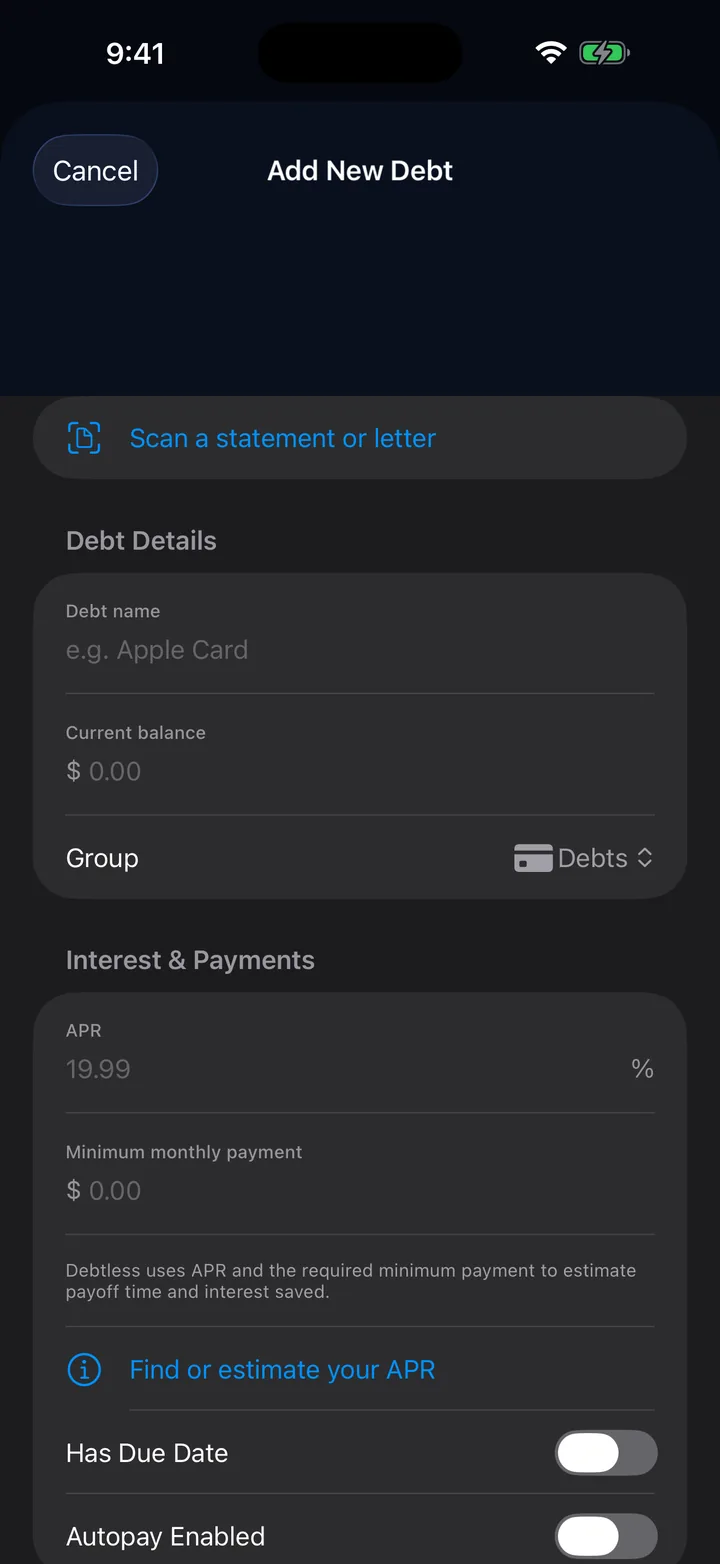
Debtless is a free debt tracker for iPhone that works without a sign-in or bank connection. Add each debt manually, or use an on-device statement scan and review the fields before saving. Because there is no account feed, you are responsible for keeping balances, payments, rates, minimums, and due dates current as lender records change.
| Fact | How Debtless works | Source |
|---|---|---|
| Platform | iPhone | Product page |
| Price | Free, with no subscription, in-app purchase, or paid feature | Privacy policy |
| Account required | No Debtless sign-in account | Privacy policy |
| Bank connection | None; Debtless does not access bank or financial accounts | Privacy policy |
| Ledger storage | The debt ledger is processed and stored on the device, with no Debtless cloud sync | Privacy policy |
| Balance updates | You enter current figures or review an on-device statement scan; no account feed refreshes them | Product page and privacy policy |
| Lender payments | Debtless does not send payments; pay through the lender's usual channel | Privacy policy |
| Export | Export debts as CSV from Settings to Files | Support |
| Manual-maintenance tradeoff | You choose what enters the ledger and must keep it current yourself | Product page and privacy policy |
Follow one monthly update
This example is fictional: Harbor Card has a $4,200 balance, 23.99% APR, $95 minimum payment, and a payment due on the 15th.
- Check Harbor Card's current lender statement. Debtless does not connect to the lender, so the lender record is the source for the latest figures.
- Review the scanned fields or enter the $4,200 balance, 23.99% APR, $95 minimum, and due date yourself.
- Save the debt after the figures match the statement.
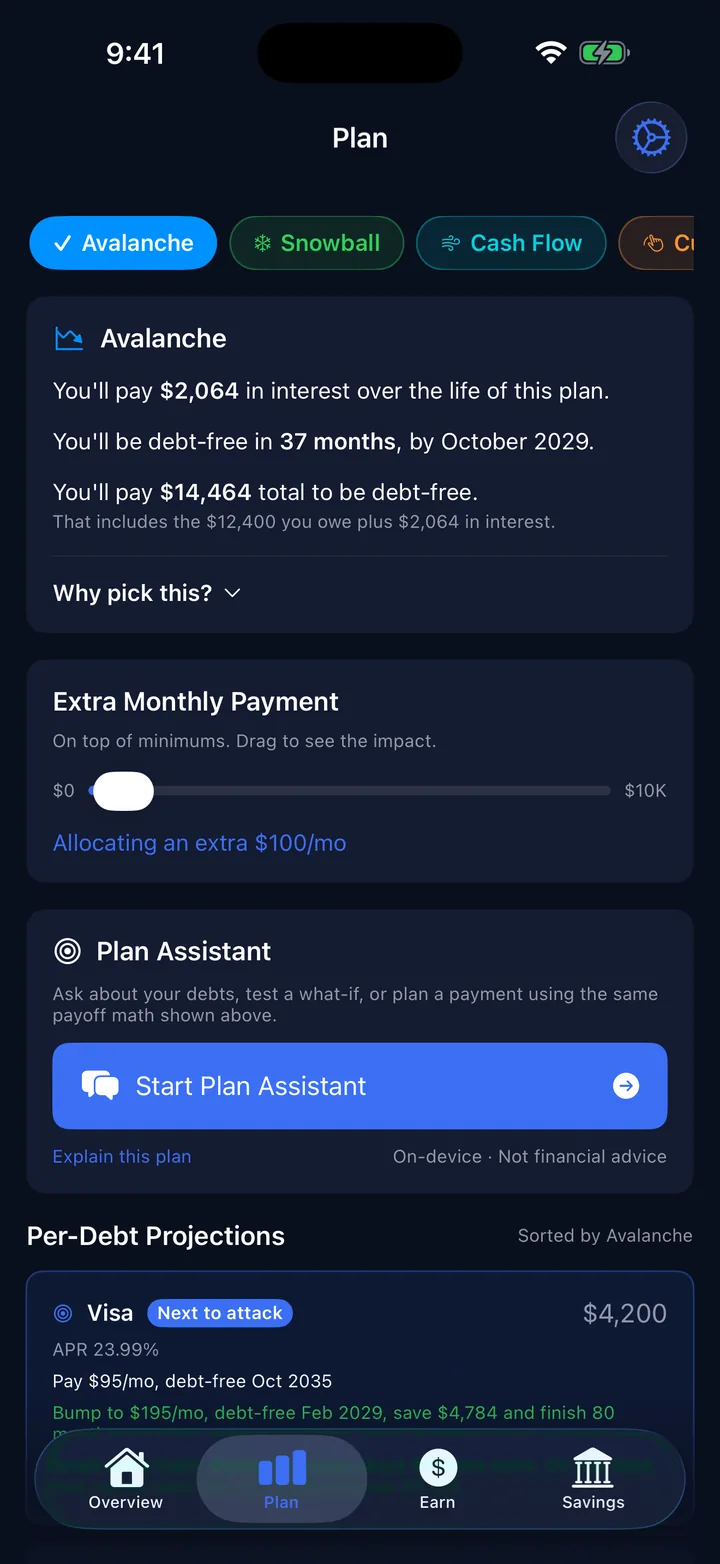
- After a payment posts with the lender, record it in Debtless and compare the updated payoff plan. Debtless records the payment; it does not send it to Harbor Card.
Reference screens from Debtless 1.6, separate from the fictional monthly update above. They illustrate the layout, not a before-and-after payment record.
What is the tradeoff?
Manual tracking gives you control over which information enters the app. It also means the ledger needs your attention. A lender-side purchase, fee, rate change, or payment will not appear automatically in Debtless.
Can I add installment loans or buy-now-pay-later balances?
You can record installment debts manually, including accounts from providers such as Affirm, Klarna, or Upgrade. These names describe debts you may choose to enter; they are not integrations or partnerships. Check the actual account terms when entering the balance, rate, and payment.
Where is my information processed?
Debtless keeps its ledger on the device and has no Debtless cloud sync. The Plan Assistant uses on-device Apple Intelligence on compatible devices, with no network AI fallback. Generated features depend on device support and availability. See the privacy policy for the product's data handling details.
An exported CSV is a separate copy under your control. Treat it as financial information when saving, sharing, or deleting it. Do not assume that an app without cloud sync can restore a lost device's ledger from a Debtless account.
What should I review after scanning a statement?
Check the account name, balance, APR, minimum, and date against the original. Statement layouts vary, and extracted text can be wrong or incomplete. A scan is a starting point for entry, not confirmation that the financial information is correct.
Who is this workflow for?
Debtless fits someone who wants a local debt list and is comfortable updating it. Someone who needs automatically refreshed accounts should account for the manual maintenance before choosing this workflow. No-bank-linking is a product choice, not a promise that you never need to review your lender statements.
Related: Make a payoff plan · Snowball vs. avalanche